How To Install GForce Presets
-
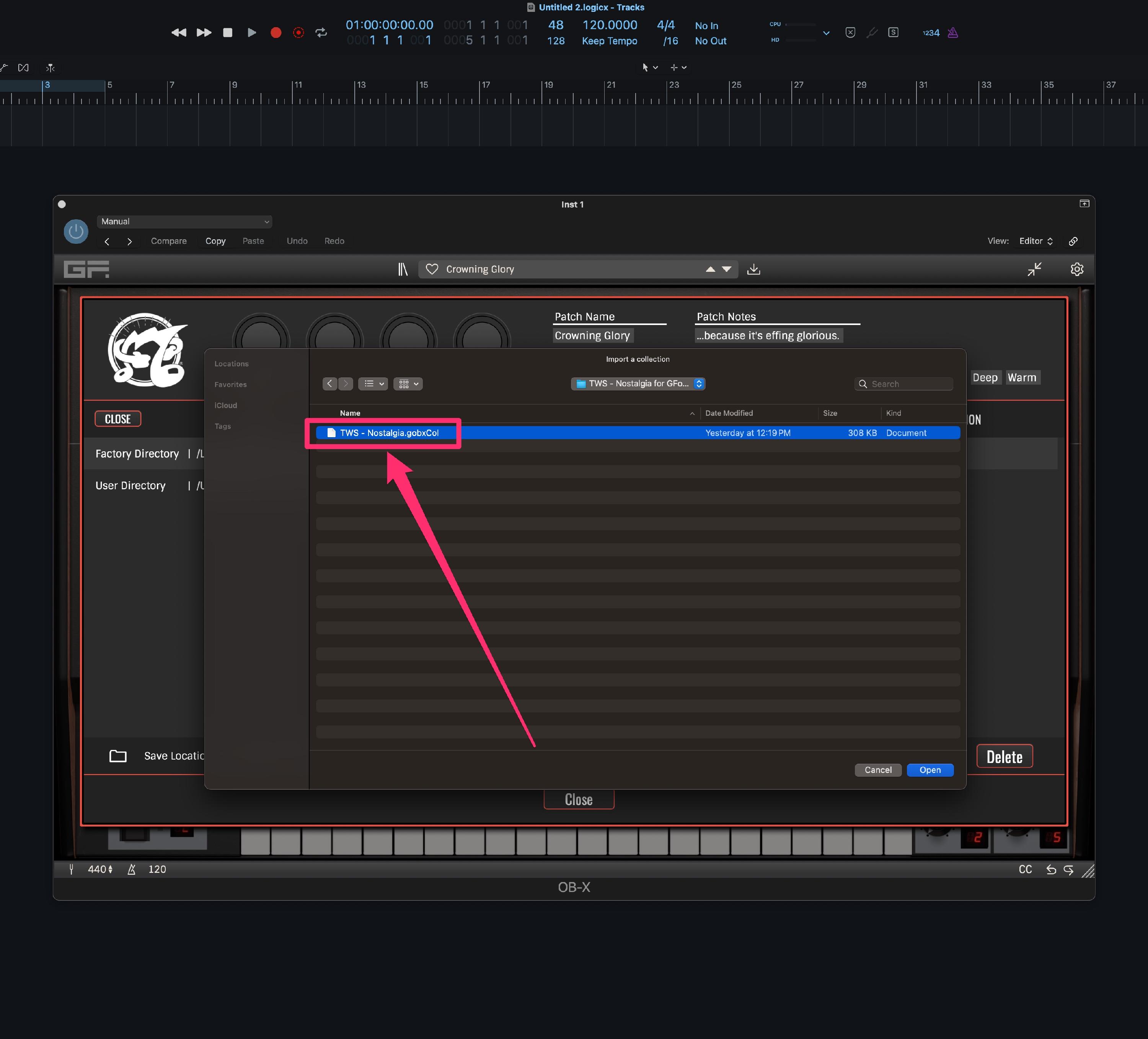
In this guide, we'll use the product "Nostalgia for GForce Oberheim OB-X" with the "OB-X" VST. Unzip the product and locate the preset file named: TWS - Nostalgia.gobxCol
-
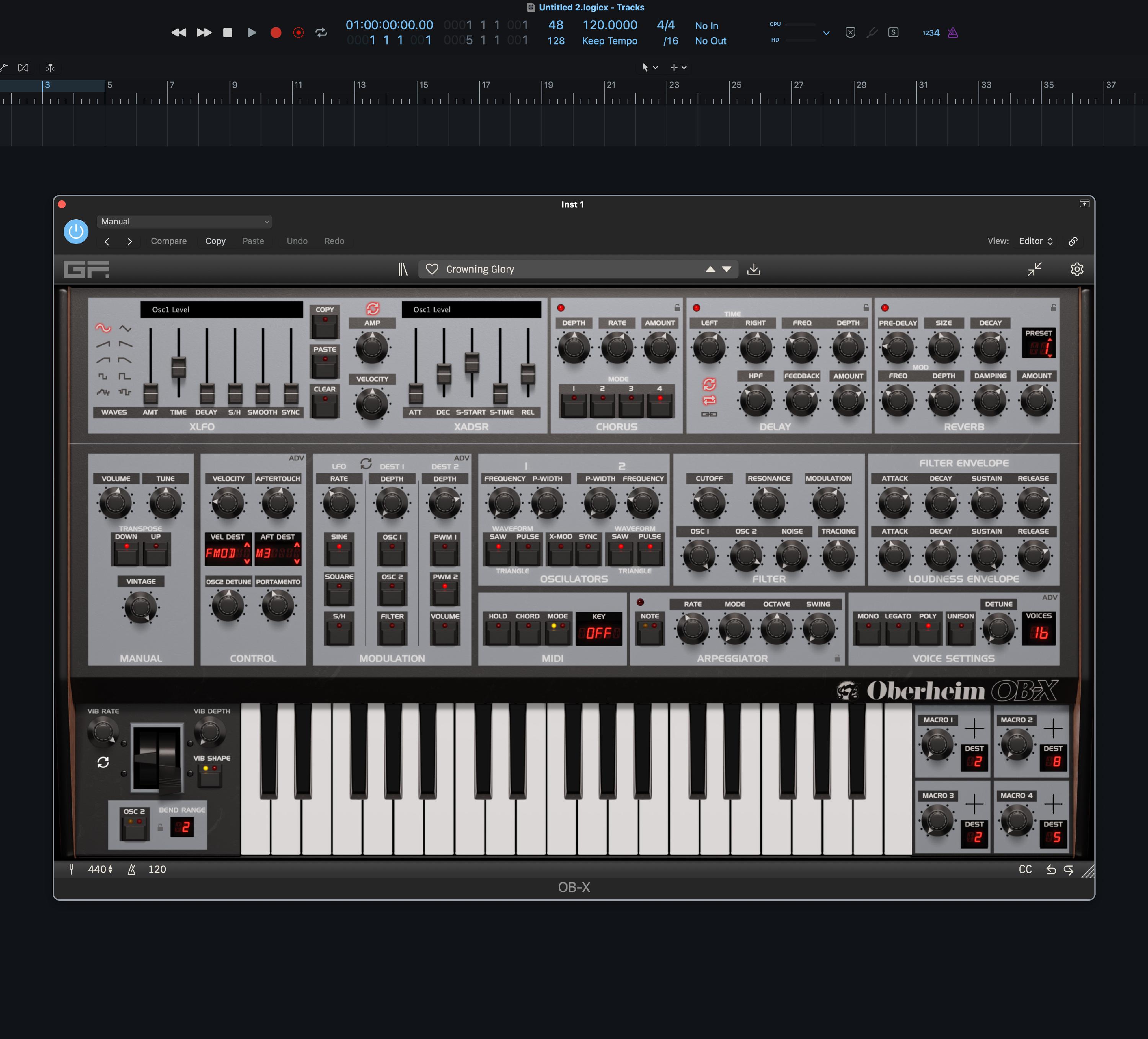
Open the OB-X standalone app or the OB-X plugin in your DAW.
-
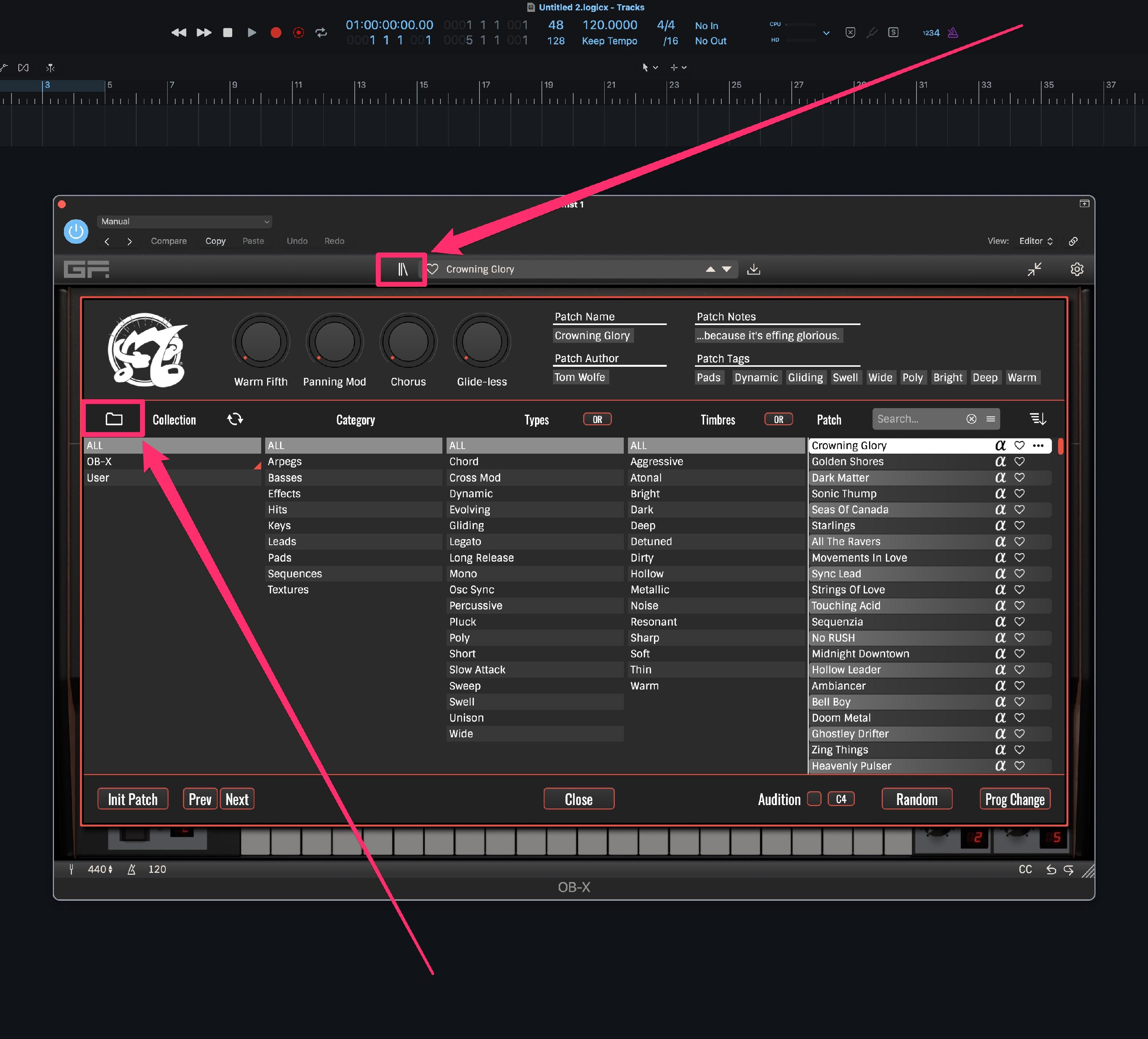
Open the Patch Library and click on the Folder button to open the Directory screen.
-
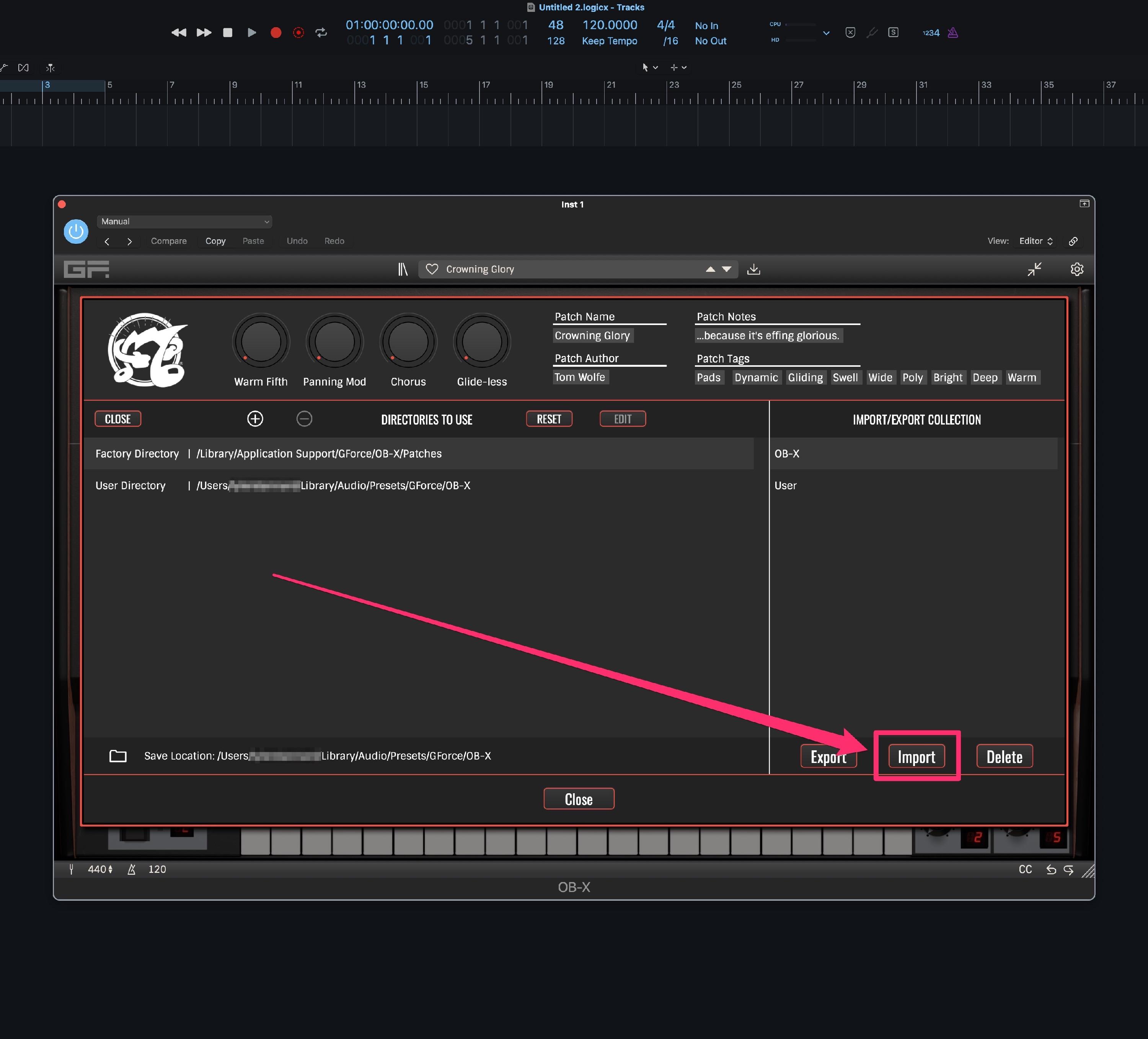
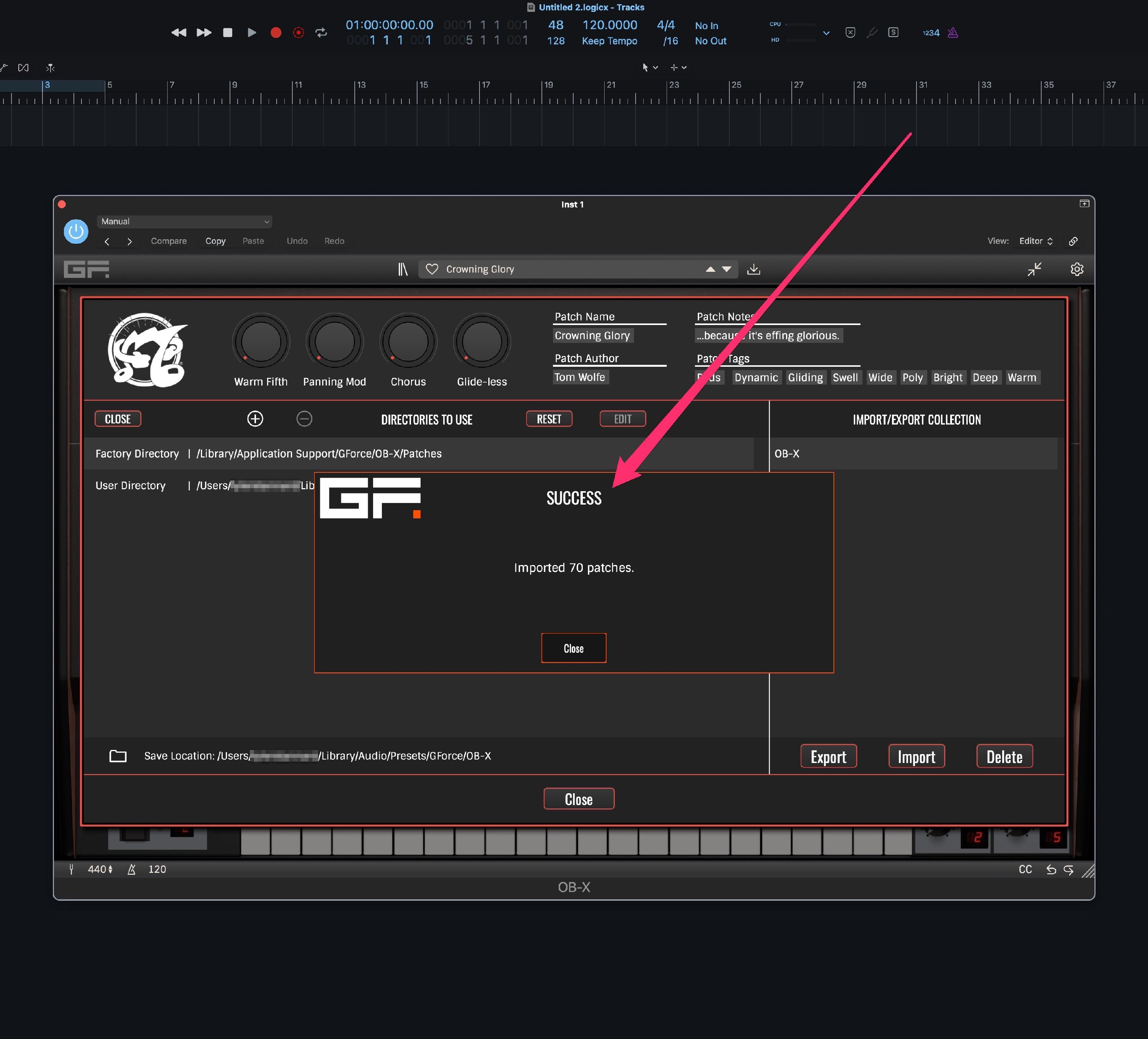
Click the "Import" button and choose the file: "TWS - Nostalgia.gobxCol". After you see the "Success" screen, you can then close the Directory/Patch Library.
-
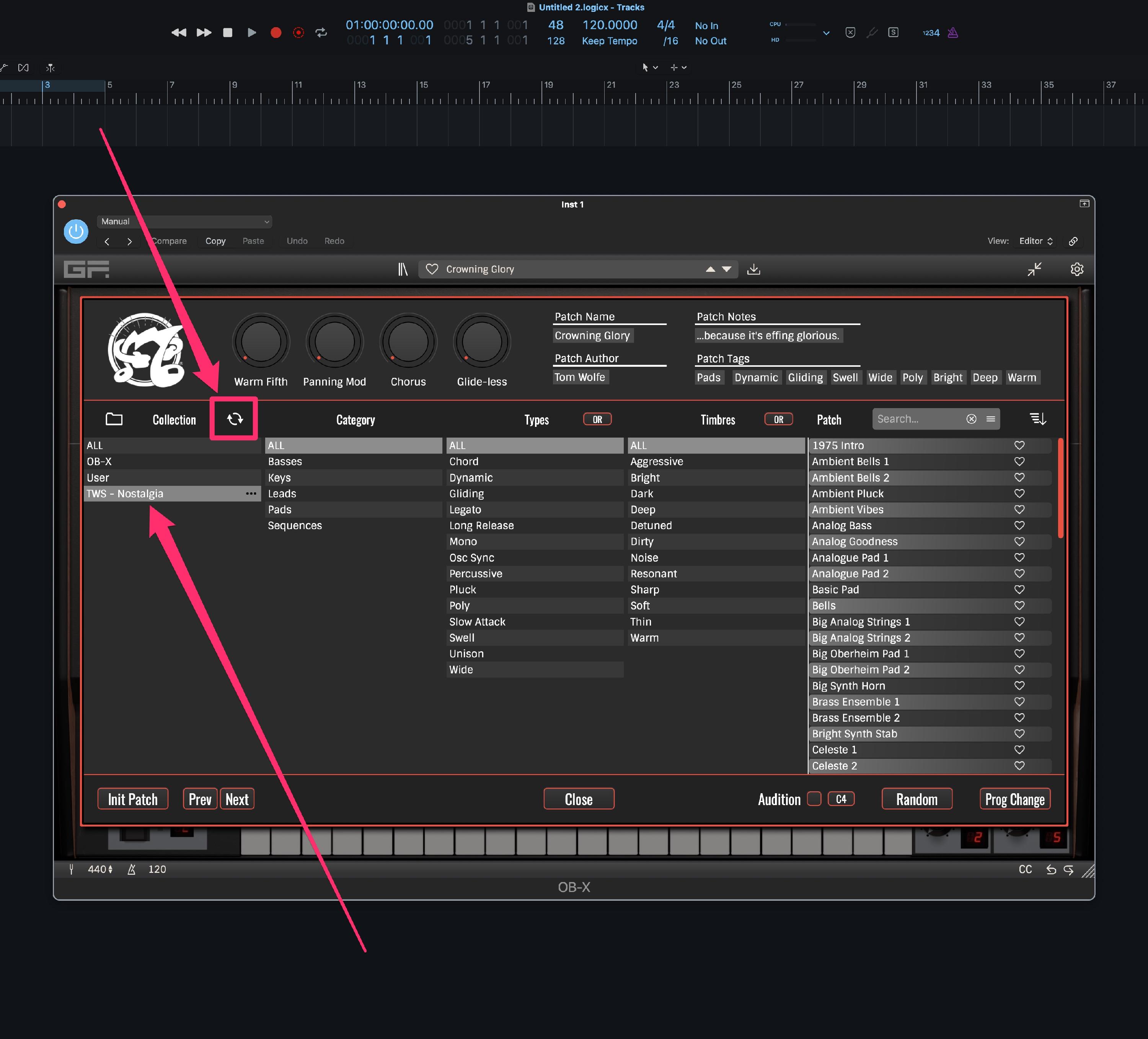
The patch list will automatically refresh or press the refresh button and then click the name of your product (example: "TWS - Nostalgia") to view the new patches!